 RNDRS
RNDRSSketchUp models, rendered photoreal
Skip V-Ray setup, skip the render queue. Export any SketchUp view — even untextured clay — upload it to RNDRS, and our architecture-trained render engine returns a photorealistic image in about eleven seconds. Materials, lighting and entourage come from a one-line prompt instead of hours of scene setup.
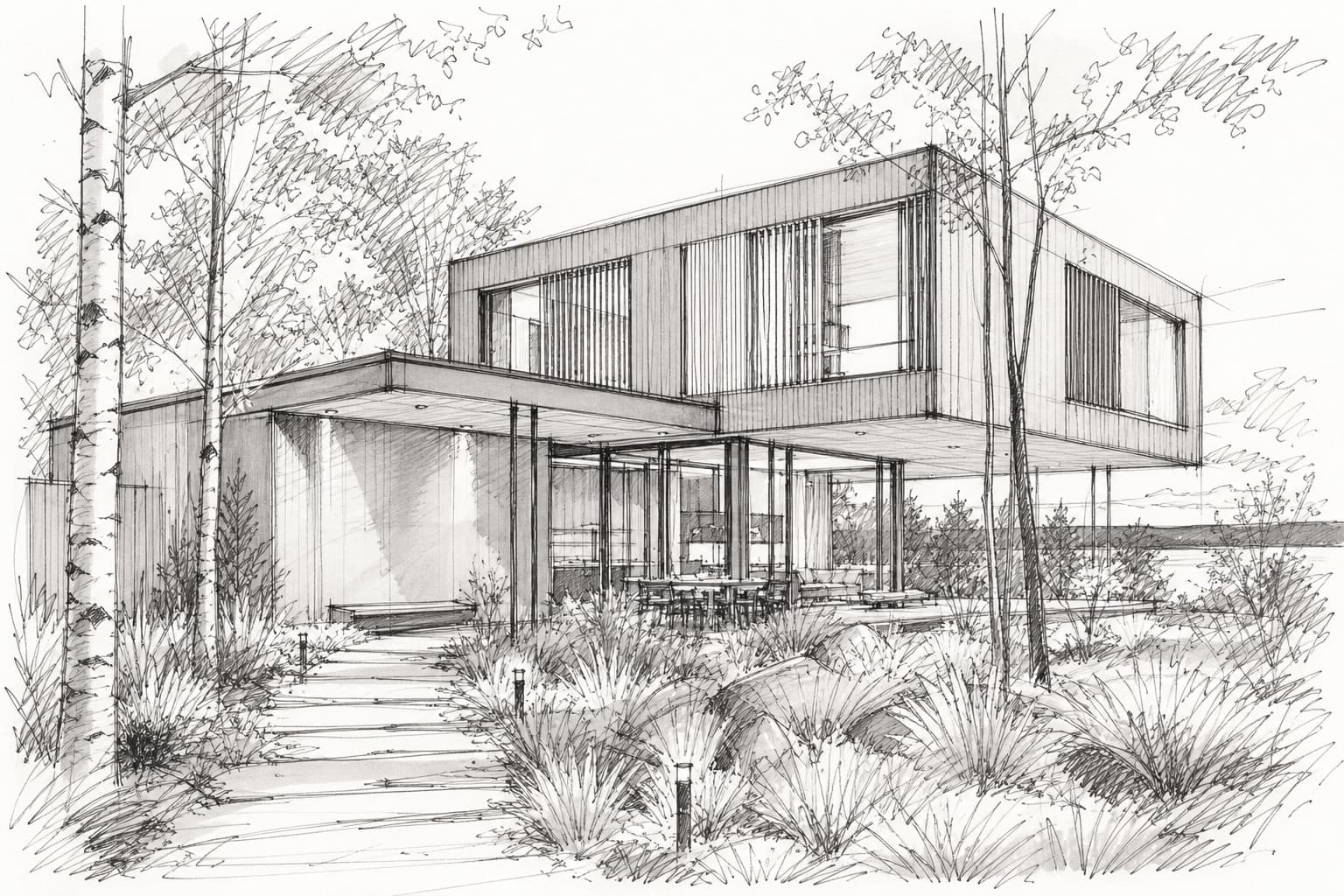
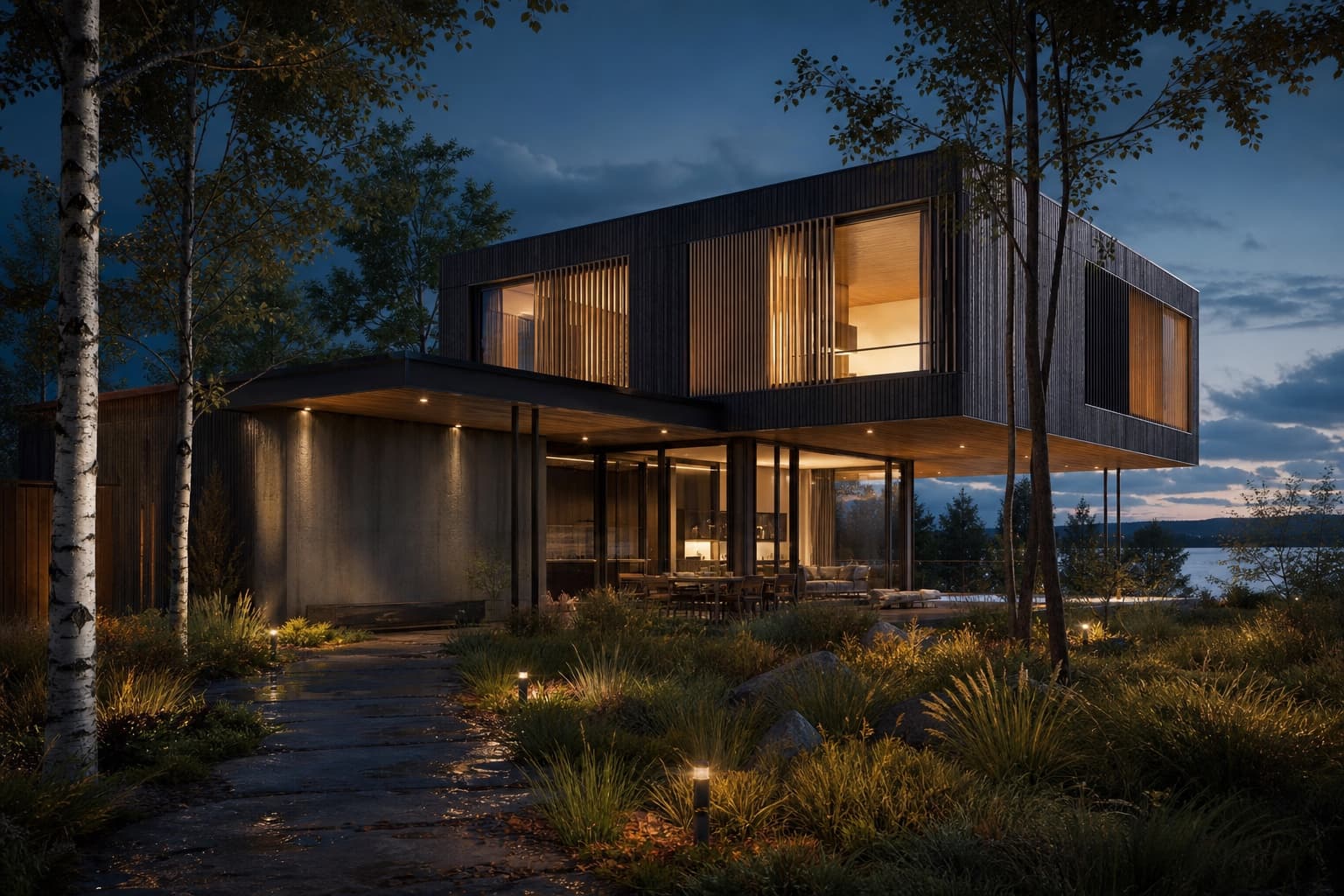
Drag to compare — one upload, one wire, eleven seconds
From SketchUp to photoreal
2-point perspective or any viewport view, PNG or JPG. Untextured is fine.
Drop the export onto the RNDRS canvas — no plugin to install
"White render facade, oak screens, overcast morning light"
Photoreal in ~11 seconds. Geometry preserved, materials applied.
No plugin, no GPU, no setup
RNDRS runs entirely in the browser on our GPUs. Your SketchUp install stays clean and your laptop stays cool — a viewport screenshot is the only bridge you need.
Clay models welcome
Don't waste time texturing in SketchUp. The AI reads massing, openings and context from a raw white model and applies materials from your prompt — so you can keep modeling loose until the design settles.
Iterate options on one canvas
Wire one SketchUp export to three render nodes and compare cladding, lighting or seasons side by side. Every option stays connected to the same source view.
Frequently asked questions
Do I need a SketchUp plugin to use RNDRS?
No. RNDRS is fully browser-based — export your viewport as an image (File > Export > 2D Graphic) and upload it. There's nothing to install and it works with SketchUp Free, Go and Pro.
Will the AI change my geometry?
No — our render engine is trained to preserve the structure of your model. Massing, openings and proportions stay put while materials, lighting and entourage are generated around them.
Can I render untextured SketchUp models?
Yes — that's the ideal input. A clean white/clay export gives the AI clear geometry to work with, and your prompt controls the materials and atmosphere.
How does this compare to V-Ray or Enscape for SketchUp?
Traditional renderers compute physically accurate light from a fully materialed scene, which takes setup time and hardware. RNDRS generates a photoreal image from a screenshot in seconds — ideal for concept iterations and client reviews, with 4K upscaling for final boards.
What resolution are the renders?
Standard renders are 1K–2K; Studio and Firm plans render and upscale to true 4K, sharp enough for competition boards and print.
Keep exploring
Render your next SketchUp project tonight
Upload something you're working on right now. Three renders free — you'll know in two minutes.
Create your studio