
Guides
Sketch to Render: A Practical Guide
June 16, 2026
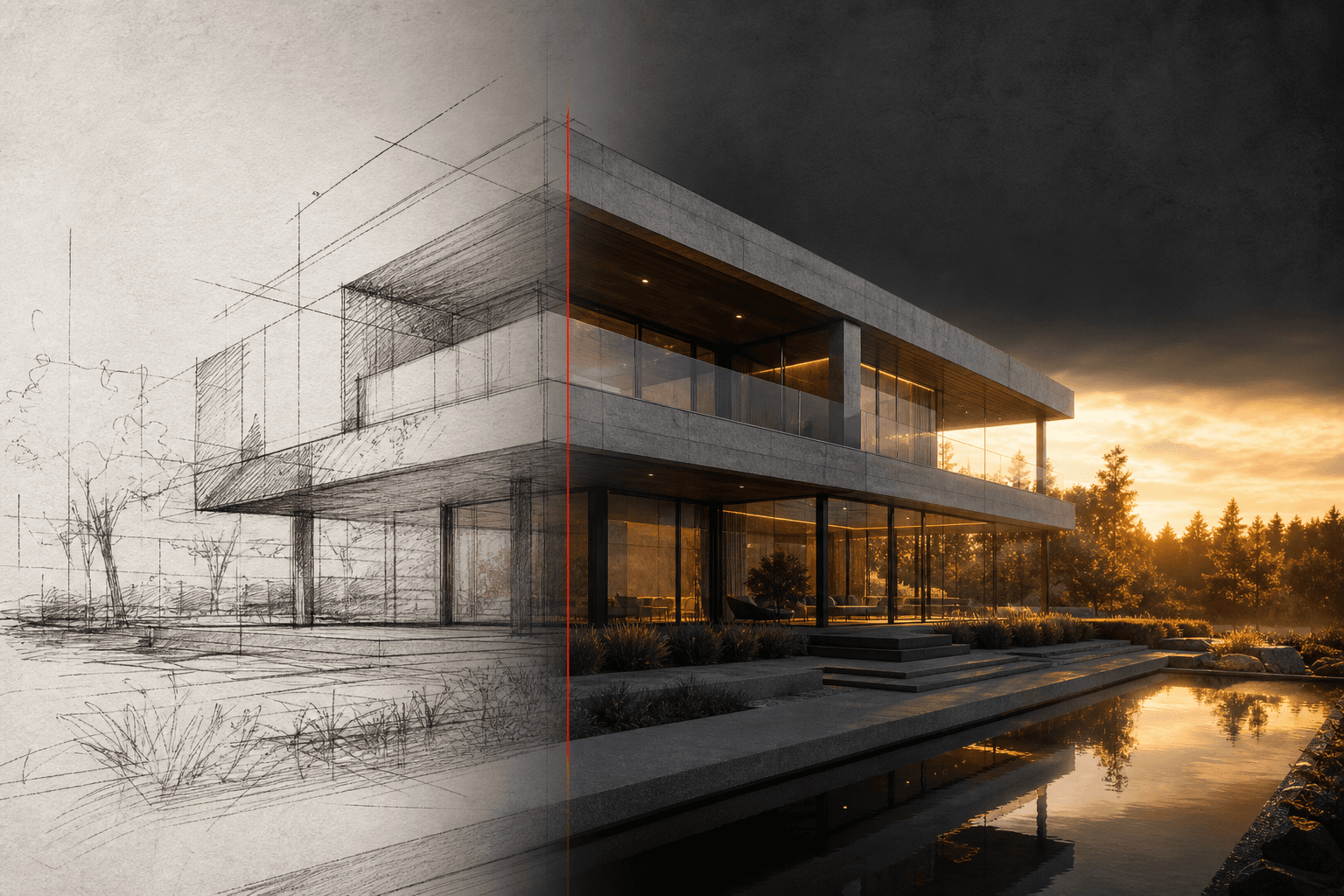
A sketch communicates design intent while leaving many details unresolved. AI visualization can help explore those gaps, but it can also mistake a faint line for an opening or invent a material transition. Keep the sketch available throughout the review.
Prepare the source
Photograph or export the sketch straight on, with clear linework and enough contrast to distinguish the building from the background. Crop out unrelated notes when they obscure the design. Upload a PNG, JPEG or WebP, or select and preview a page from a PDF in Studio.
Write one clear instruction
Describe the building or room, its main material direction and the lighting. State the parts that should remain unchanged. For example:
Visualize this courtyard in pale stone with warm evening light. Keep the roofline, opening positions and camera from the sketch.
Do not rely on the model to infer a hidden facade, structural detail or measured dimension from incomplete marks. Provide another image or explain the assumption when it matters.
Review before refining
Compare the result with the original. Count major openings, check the silhouette and look for changed floor levels or a shifted camera. A pleasing image can still communicate the wrong design.
For a local adjustment, select the affected area. For a material study, create two or four alternatives from the same source and retain the fixed constraints. Keep the chosen result as a new version instead of replacing the original.
Export with the right expectations
Use the actual output dimensions when choosing a presentation size. An upscale can improve resolution but does not verify construction detail or recover information absent from the sketch. Review the downloaded file before sharing.
Start a sketch study. Studio shows the applicable credit quote before execution; generation time and useful-result quality vary.
Try this workflow yourself
Studio is available to everyone. Check pricing for the current credit allowance and action costs.
Start free